
What is information security?
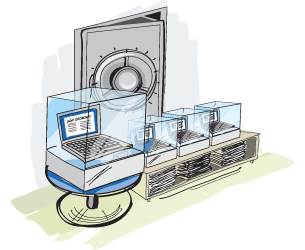
Information security encompasses all issues related to telecommunications and computer science concerning the assessment and control of risks arising from the use of computers, computer networks, and data transmission.
According to the PN-ISO/IEC 27001:20014 standard, information security is defined by the maintenance of the following minimum requirements:
- confidentiality – data should remain secret, and only authorized individuals should have access to it,
- integrity – this property ensures that data has not been altered, damaged, or destroyed by unauthorized persons,
- availability – data should be protected against access by unauthorized individuals,
- accountability – in accordance with the Personal Data Protection Act, all actions of the data controller can be attributed to a specific individual.

Receive a package of free GDPR guides and micro-training sessions
According to the Personal Data Protection Act, the data controller is obliged to implement technical and organizational measures to ensure the protection of processed personal data, appropriate to the risks and categories of data subject to protection.
With the systematically increasing number of obligations related to personal data security, new legislative regulations continue to emerge, mandating the creation of procedures, regulations, and instructions. Unfortunately, the result is ever-increasing costs of managing enterprises… Below, we address how to reduce these costs while maintaining an appropriate level of data protection and complying with the requirements of the law.
Physical security
It is important to note that data security in information systems, just like in traditional (paper) form, primarily depends on access to the devices that store and process them. Particularly crucial is securing access to portable electronic devices such as laptops, smartphones, USB drives, tablets, etc.
How to ensure the security of the data stored on them?
- Do not leave devices unattended in public places. If there is no other option, it is advisable to use a so-called security tether, which involves attaching the device to solid, immovable elements, such as a desk. Such tethers can be locked traditionally with a key or may have a combination lock.
- Always transport electronic equipment as carry-on luggage, for example, on an airplane.
- Try to transport devices in a way that is not visible to the surroundings, for instance, use a regular backpack instead of a distinctive laptop bag.
- Do not leave devices in a hotel or car. It is worth knowing that even if we hide a laptop in the trunk, modern criminals can detect whether the equipment is in the vehicle using special devices.
- When using a computer in a public place, protect the screen from the view of unauthorized persons by using a so-called privacy filter, which is designed to reduce the viewing angle of the screen.
In an enterprise, a key area of data processing is the server room. This is a room where the components of the IT infrastructure process most of the data in the organization.
Basic security measures should include:
- restricted access (entry by key or card) and a record of authorized persons,
- a backup power source in the form of UPS systems,
- fire protection in the form of UGS2x or GSE-2x extinguishers,
- sensors monitoring environmental parameters and smoke in the room,
- air conditioners responsible for cooling the server room.
Network Security
IPFire – a free distribution of the Linux operating system, designed to function as a firewall. It is built on modules, which ensures
Migrations, clouds, systems.
GDPR in IT.
The infrastructure in which personal data is processed must be secured against malicious software. The market offers a range of antivirus programs for this purpose, which can be purchased or accessed in their free versions available online. One of the most popular free antivirus programs providing basic protection for computers is Avast Free Antivirus. The tool, in addition to automatic virus database updates, real-time computer scanning, website analysis, and protection against harmful scripts, also features extensive technical support and a module that allows scanning the network configuration for vulnerabilities to various types of attacks.
Another interesting free option is Comodo AntiVirus, which has a built-in firewall, and its license additionally allows for commercial use. An interesting feature of the program is the port hiding wizard, which enables us to prevent the use of personal storage devices on company computers.
Overview of Personal Data Protection Tools
ABIeye
Since 2013, we have been providing a free online application of our own production on our website – ABIeye. The software meets the needs of entrepreneurs and public institutions – it serves as a missing link between still imperfect legal regulations (even the Polish Data Protection Authority points out that the law is lagging behind technological development, making it increasingly difficult to protect data) and widespread computerization. The application supports the preparation, implementation, and management of personal data protection systems, regardless of the size of the organization. It can be helpful for both large corporations, online stores, as well as for offices or schools.
ABIeye also offers the availability of e-learning training for individual employees and the possibility of electronically granting them authorizations while simultaneously monitoring the completion of the training and maintaining statistics on the effectiveness of these trainings. Thanks to its user-friendly interface, the tool allows for simple and efficient management of the records of processing activities, the registration and updating of personal data sets, the inventory of all collected documents, the list of authorized persons, reporting incidents and potential issues regarding personal data protection to ABI, and many more.
Disk Encryption
One of the most effective ways to protect data is by encrypting the contents of a device's hard drive, which is one of the cryptographic safeguards. The process involves encoding information according to a specific scheme so that unauthorized persons cannot read it. For this purpose, we can use the TrueCrypt program, which is completely free and its license allows for commercial use. The tool enables the encryption of entire disks, their partitions, portable electronic media, as well as the creation of virtual encrypted disks (including hidden ones) of a specified capacity. In every case, the media is secured with a password against unauthorized access. Encryption is performed using very strong algorithms. Cascading encryption is also possible, meaning encoding data sequentially with several algorithms. Similar functionalities are offered by the CloudFogger or DiskCryptor programs, which are also free.
Email Security
To adequately secure personal data sent via email, two methods of encryption can be used:
- attaching encrypted files (attachments) to the message,
- encrypting the entire message, including attachments.
In the first case, we can use the free program 7-Zip to encrypt attachments. This increasingly popular tool, also for commercial applications, is characterized by the highest level of compression of generated files.
To encrypt the entire message, we can use the GPG4Win program, which integrates with the email client after installation. A message encrypted with its use is fully secured, both its content and attachments.
Effective Data Deletion
It is important to know that any data deleted from an information system using traditional methods (by moving the file to the recycle bin or formatting the disk) can be easily recovered, for example, by using free software such as Redo Backup and Recovery or Recuva. This should be particularly noted when devices are being resold or sent for servicing. To effectively remove data from a storage medium, it is advisable to use the free tool Eraser, which not only deletes data from the hard drive but also overwrites the space they occupied, making recovery impossible. Modern SSDs do not have this issue, provided they support the TRIM function, which ensures that a standard disk format results in complete data removal.

Working with good GDPR tools is not work!
Blocking USB ports
Many contemporary antivirus programs allow for the blocking and unblocking of USB ports for data storage devices. However, it is worth mentioning USB Disabler, which also offers such functionality. By using this tool, we can enhance the security of the computer, especially if we entrust the equipment to individuals whom we do not fully trust. USB Disabler offers two modes:
- Read Only, which allows only data reading from the devices,
- Disable, which completely blocks the ability to use USB devices on the computer.
Creating backups
Backup copies of data are of immense importance, especially for entrepreneurs who process data digitally. Creating backups serves as a kind of insurance policy that allows for data recovery in the event of a failure or when data is accidentally deleted. A useful free tool for creating backups is AOMEI Backupper, whose license also permits commercial use. Similar to the process of creating data backups, restoring them using the program is very simple and involves just a few mouse clicks. A number of other free programs, such as Cobian Backup or Clonezilla, offer similar functionalities. It is important to perform backups regularly and store them off-site, in a location separate from where they are created, with restricted access for unauthorized individuals. Ideally, they should be kept in a different location than the entrepreneur's headquarters or one should utilize the services of companies operating in the market that can handle this professionally.
Best Practices for Personal Data Protection
- Using authentication passwords in information systems. According to the regulation of the Minister of the Interior and Administration dated April 29, 2004, a password should consist of at least 8 characters, include both uppercase and lowercase letters, numbers, special characters, and should not be changed less frequently than every 30 days.
- Only icons of standard software and business applications should be present on the computer desktop, along with shortcuts to folders, provided that their names do not contain information about ongoing projects or clients. This is particularly important if you frequently attend conferences, seminars, or business meetings where you use your equipment during presentations.
- Printed documents should be collected from printers immediately after printing. Implementing a "follow-me printing" mechanism is also a good solution. This allows documents to be printed and collected from any installed device in the company only when the employee is near the printer. Identity verification is done by entering a PIN code or using a magnetic card. This ensures that unauthorized individuals do not have access to others' documents.
- It is important to remove important data from the computer when we send it for repair. For example, in the case of a motherboard or power supply failure, the hard drive can simply be removed from the computer and handed over for repair. The situation becomes more complicated when the hard drive is damaged, or parts of the data contained within it are compromised. In such cases, a written agreement should be established with the service provider, which includes provisions regarding confidentiality and the processing of personal data.
- It is essential to retain proof of purchase for the electronic equipment and its warranty card with the serial number. These will be useful when reporting theft to the police and for claiming any compensation under the purchased insurance policy.

When was the last time
you conducted a risk analysis?
Conclusion
As can be seen, there are many ways to prevent theft, protect data, and make life difficult for thieves without excessively burdening our finances. The programs and tools presented above will help you ensure security and privacy, but they are not infallible! Especially when used without experience. The best method for safeguarding privacy is common sense. Let us navigate the topic of security wisely, remember the aforementioned safeguards, and we will avoid the loss of often expensive IT devices and invaluable data, while also increasing the chances of recovering equipment after a potential theft.

